Problems
So you think you’re a problem solver?
The older I’ve gotten, the more I’ve realized one core truth: I hate friction (actually, I just like little creations that add joy and novelty to my life). So many things we do day to day just take too long, and for some reason, I notice this way too much.
Part of being a producer is being a problem solver, finding an answer for everything. There are apps for most of this, but I have a way I do things, and they don’t always work that way. So I take the systems I already use and build them out, 100% custom (CrewDB is more like 1,000%), so the paperwork is better, our meetings are productive and I can be present where it matters.
Could I have bought software for a lot of this, or just done it on paper? Probably. But one of my life’s goals is to reduce friction, even when, more often than not, it might not actually be that big of a problem.
I now present
Problems that probably didn’t need a solution*
*A lot of these were built with the help of AI, because I’m not a coder. I’m a figure-it-outer.
CrewDB
One of the most common things I’ve come to hate is copying and pasting people’s contact information into a Google Sheet to send out a call sheet, and trying to remember who’s worked on what and whether I have their email or just their phone number.
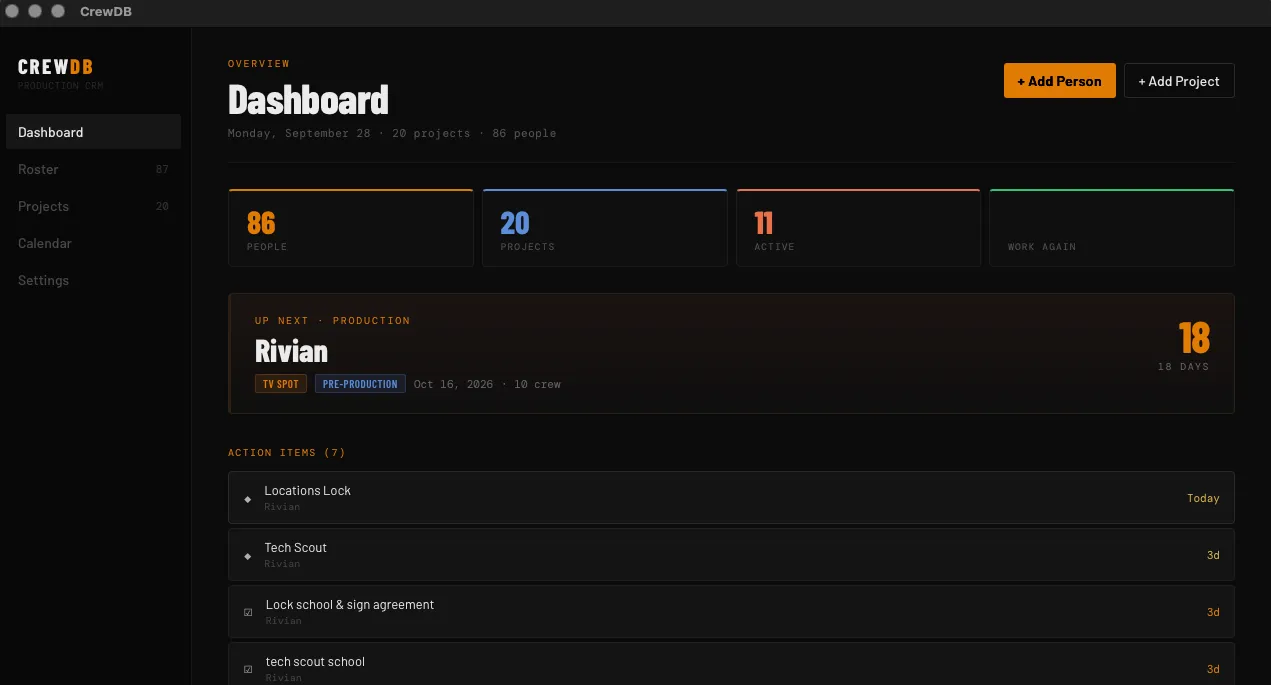
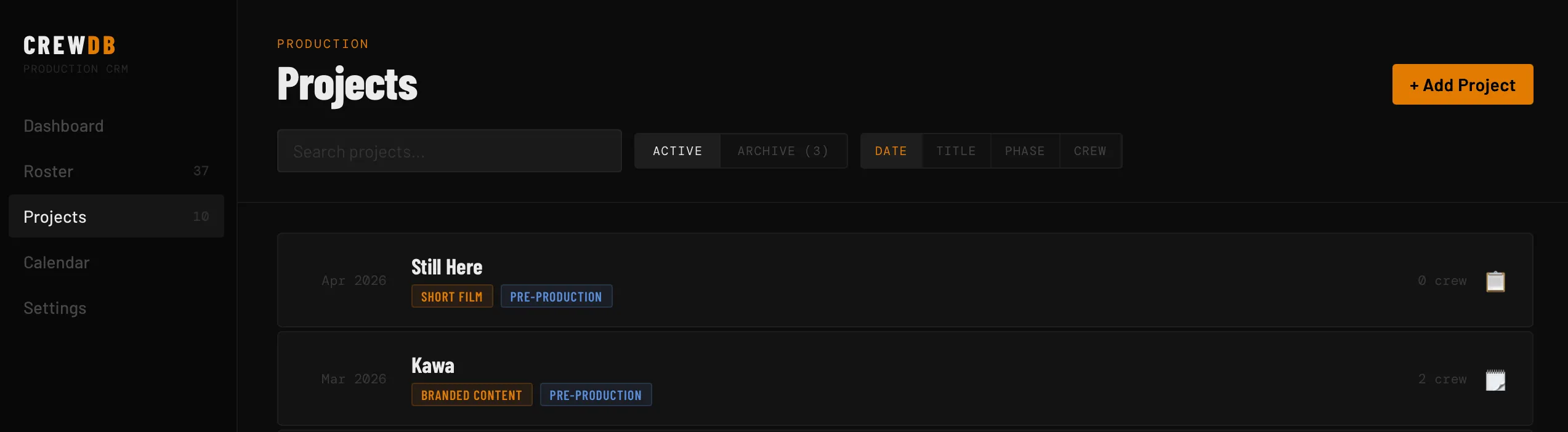
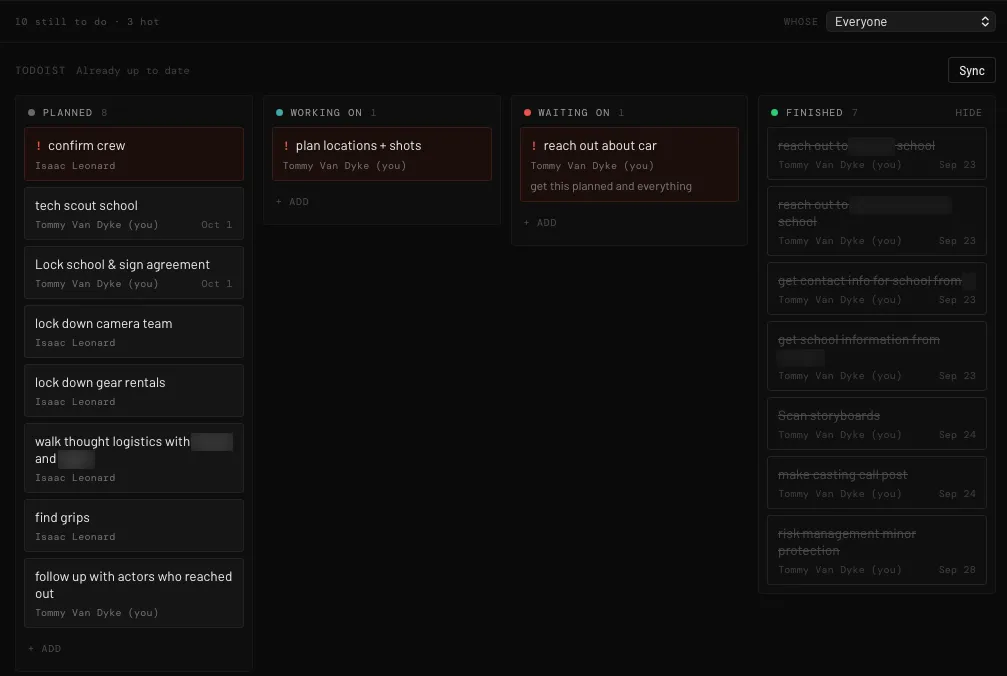
What started as a simple Google Sheet CRM turned into a full project tracker that creates call sheets. It makes it easier to do budget estimates and build out schedules and daily reports, and easier to keep track of people, locations and whether we have permits.
It doesn’t remove me from the project, because I’m still the one building the stripboards, the breakdowns, the sides and everything. It just makes it so I can have it all in one place instead of going back and forth between different apps.
It’s a Mac app with no accounts, and my classmates use a pared-down version of it.
For the producer
- Budgets on the AICP form that can’t break their own math
- A paperwork tracker that shows who’s still missing a release or a form
- Daily reports
- Call sheets that fill themselves in from the schedule and locations, with the weather and the nearest hospital
- A roster of everyone I’ve worked with and what they did
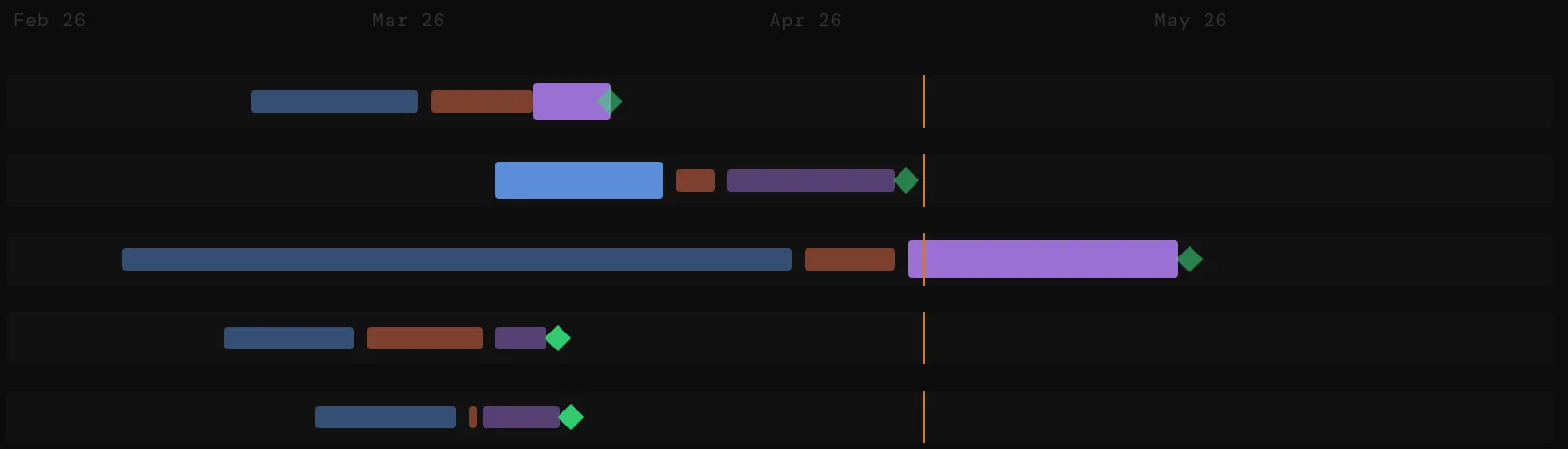
- A dashboard, tasks synced with Todoist and a Gantt chart of every project
For the 1st AD
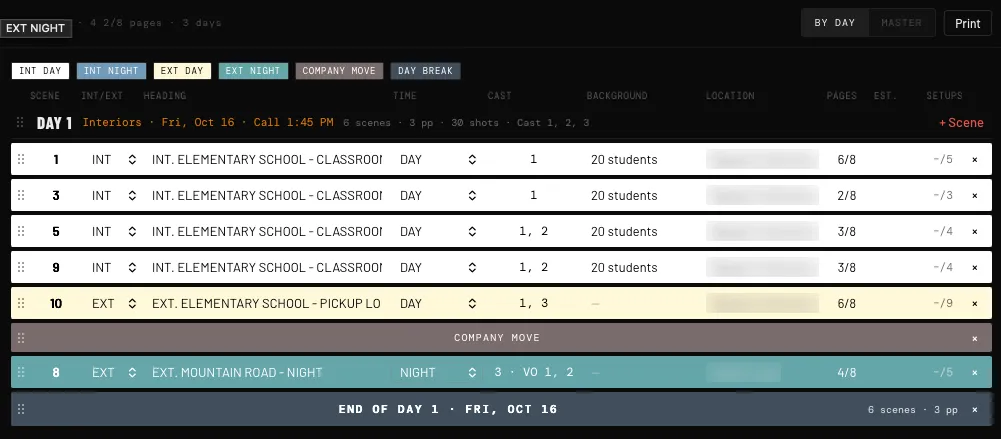
- A stripboard and schedule, by day or as a master, with company moves and day breaks
- Sides: drop in the script and it cuts out each day’s scenes
- Shot lists
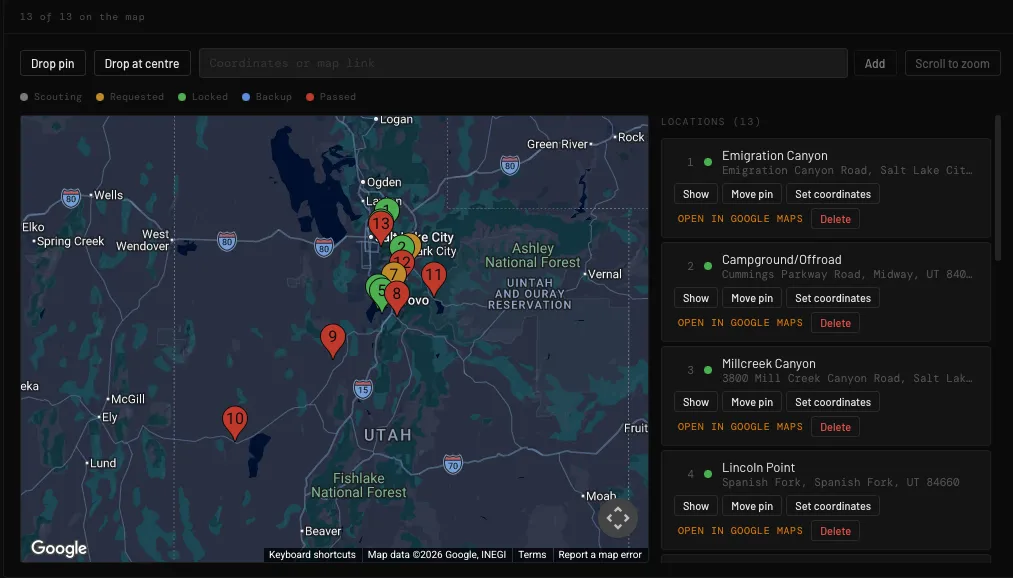
- Locations on a map, by status, from scouting to locked
- Gear lists from the rental houses’ own catalogs
Footage Tagger
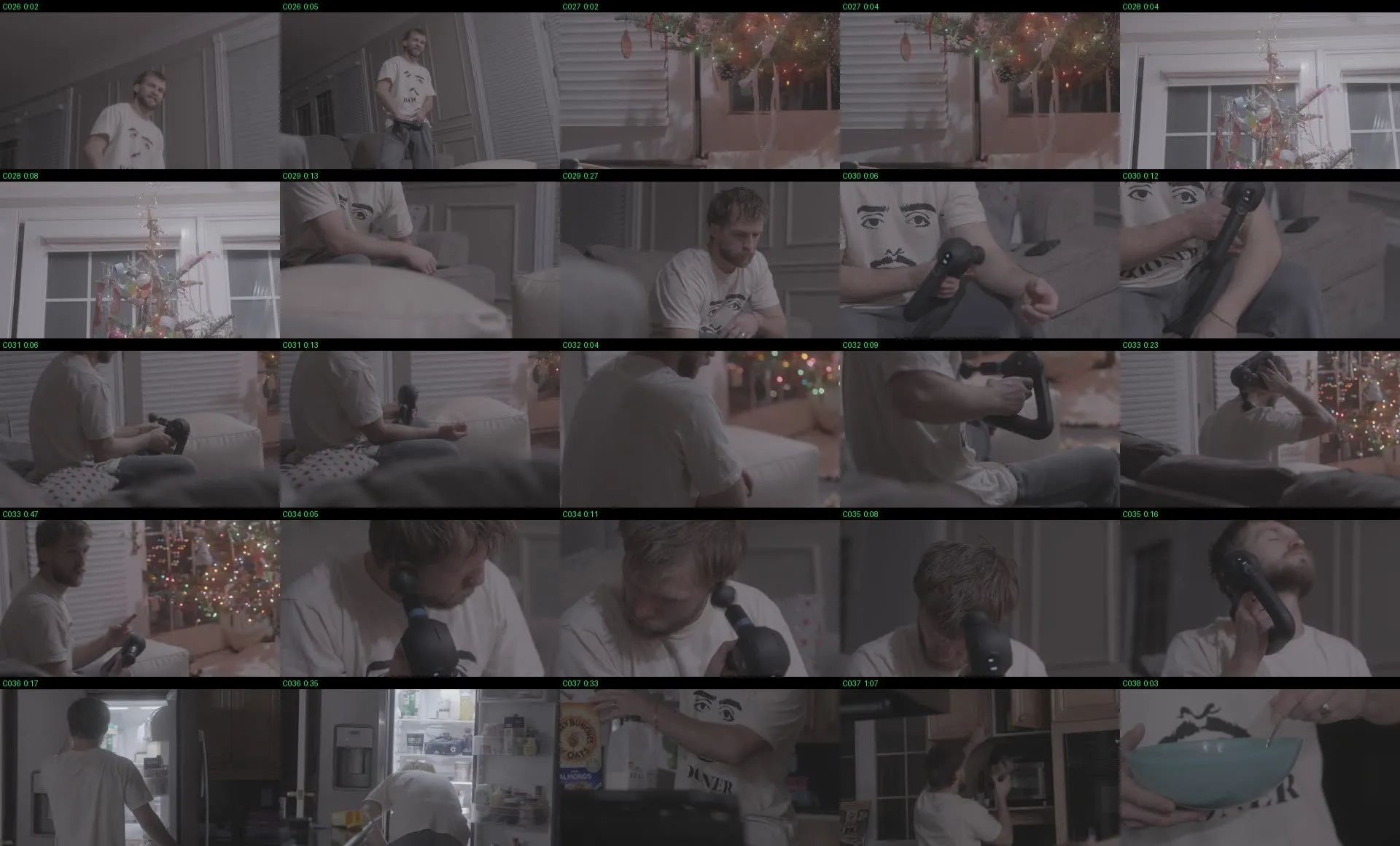
Footage Tagger is similar to OffShoot, where it builds out a clip sheet that shows everything I shot. It has the runtime of each clip, and I can add the in and out points.
It helps me go from SD card to a first draft fast, so I can spend more time polishing and really getting the minute details. It’s like a sloppy draft where it drops in the main segments of the clips, and I can reorganize and recut them.
I’m not trying to find 5 clips in a chunk of 500, because I can easily look over the sheet that has the frames. Even though it’s not every single frame, I can be like, “Oh, here’s the 5 seconds I’m looking for.”
Project Catalog
Project Catalog is built off of my friend and classmate’s. I forked it and changed a couple things because I have different naming and backup conventions. He’s a DP, so he’s saving a lot more footage, whereas I’m saving a lot more pieces of work (shorts, ads, docs) and paperwork.
By reworking what he built, I can keep track of where I have all my paperwork for different shoots and projects, making sure I have releases.
Project Catalog goes hand in hand with CrewDB. It’s more of the backend of actually making sure, “Okay, yep, here is the project, here are all the files that need to go in it,” so I always have backups of everything I’m doing.
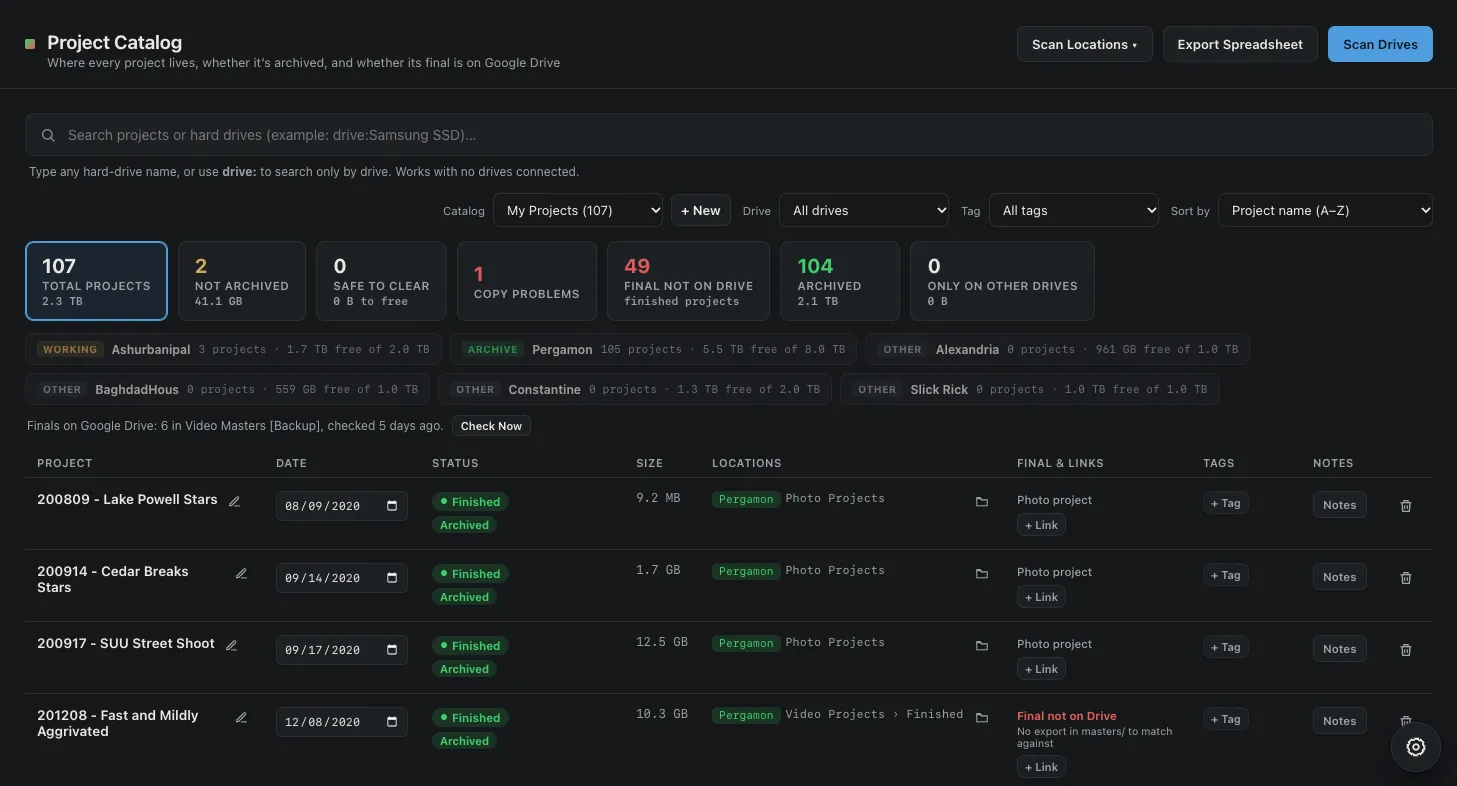
Image Prepper
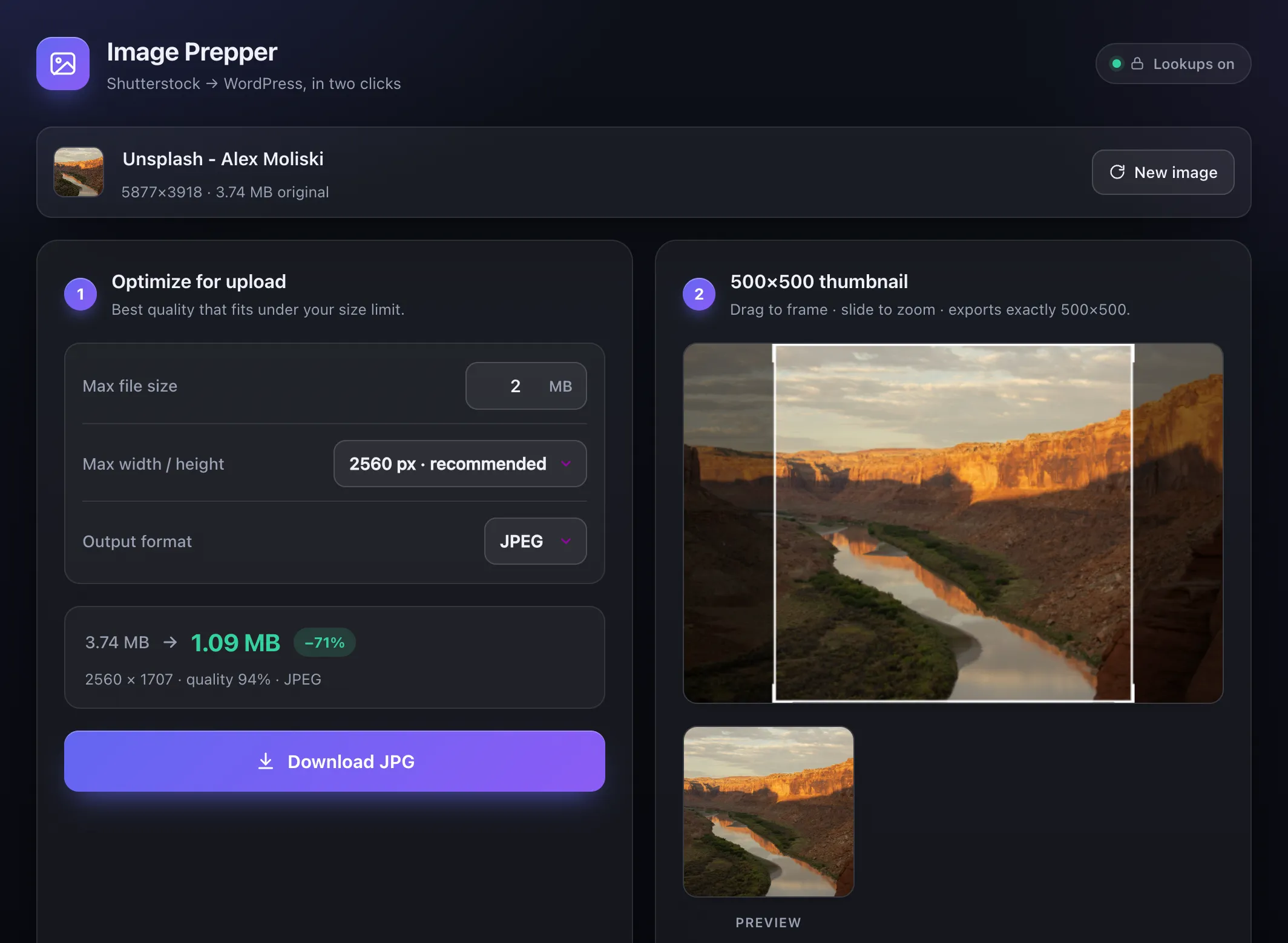
I do blogs for my family’s brand, and because of the way the site is set up, all the images have to be under 2 MB and certain dimensions. I couldn’t find anything online that worked the way I wanted, so I built a local app where I can drag and drop photos. It automatically resizes them and changes how much storage they take, and it reformats it all so it works in WordPress.
I put in an integration with Shutterstock and Unsplash that renames the files. When I’m writing the blogs, I can look at the file name and know where the photo’s from and who took it, so I can give the proper credit.
It’s easier to keep on top of things because I’m not always having to remember how to resize a photo or find one that fits. I can take the photos I find that I like and get them to work.
Receipt Printer
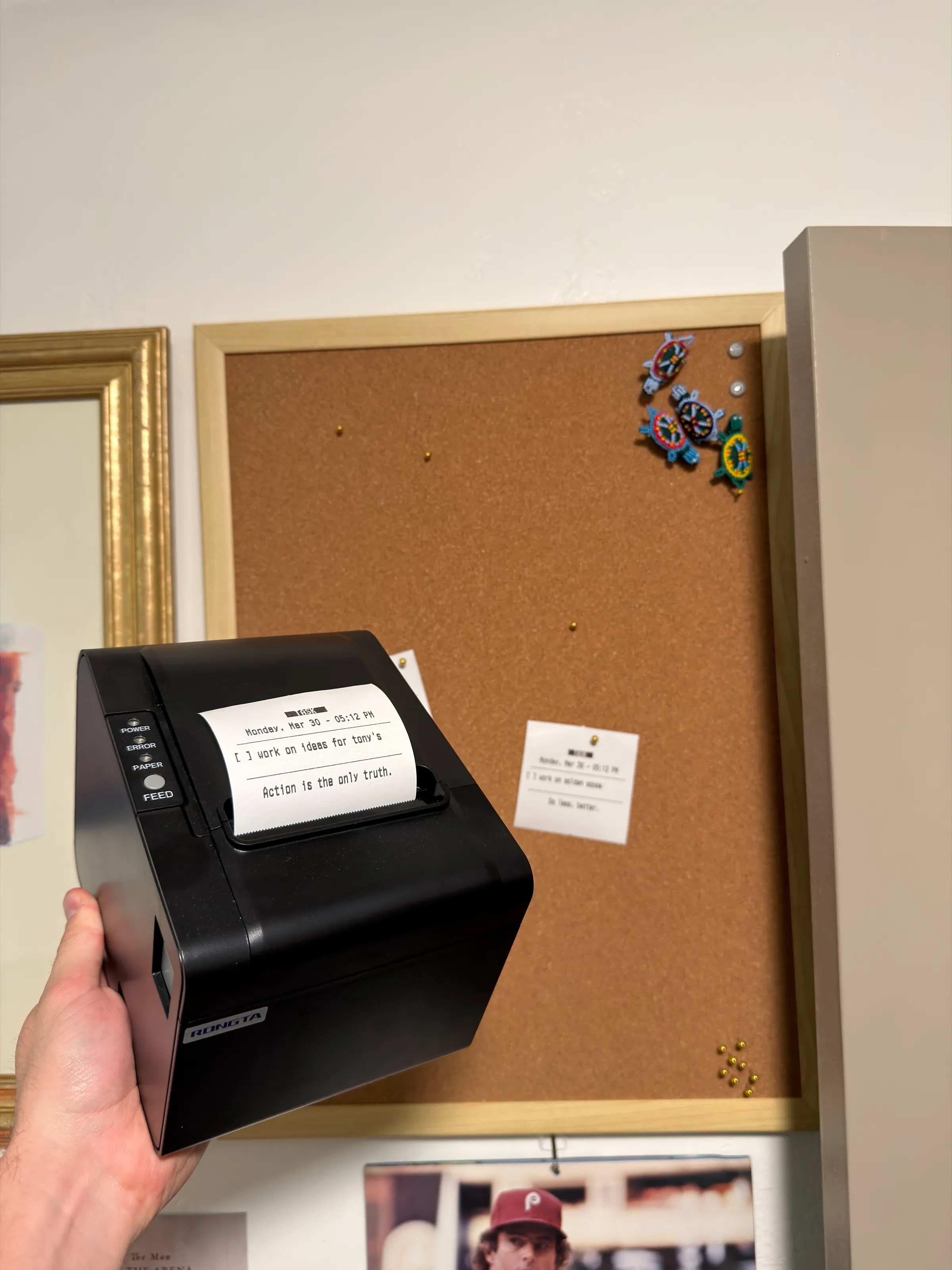
A while back I saw a blog post about turning a receipt printer into a task manager sticky note machine. I loved it because what else to make me more productive than spending 7 days ignoring things to make something that could have been replicated by spending $4 at Staples.
It’s connected to my Todoist, so anything with a certain label gets printed. Not everything goes to it. It’s usually for a bigger project, or when I want to see my tasks laid out: bigger things that take place over a longer stretch, not “go grab the milk.” I have a corkboard with my different projects on it, so I pin the pieces up and move them across the board.
It runs on a Raspberry Pi hooked up to an old thermal receipt printer. It was my first vibe-coded project, and I didn’t understand coding, so it took a long, long time to figure out and get working.
I love this thing and there is nothing more satisfying than hearing the brrrrrrt… CLUNK of it printing and cutting a receipt for me to tear off and crumple up when I’m done.